How I Built a Travel Affiliate Website: Hosting, Tools and Real Costs

Disclosure: this guide contains affiliate and referral links, including to Hostinger and Travelpayouts. If you sign up through them, I may earn a commission at no extra cost to you. Every tool here is one I use on this site. How this works
On 3 November 2024, WingReserve was a domain name and an empty WordPress install. Today it's a full travel price comparison site: city trip planners for London and Rome, guides that Google shows for searches about flights, hotels, eSIMs and airport transfers, and partnerships with more than a dozen travel brands. The whole thing has cost me about $300 so far, hosting included.
This is the guide I wish I'd had at the start. It covers exactly what I used, what it cost, how I joined the affiliate programs that pay this site, and the step-by-step setup of Travelpayouts, the platform behind most of them. It also covers the part most "make money blogging" guides skip: what doesn't work, and why this takes longer than anyone tells you.
The short version
- Hosting: Hostinger, running WordPress.
- Page builder: Elementor, with custom HTML sections for anything complex.
- Affiliate platform: Travelpayouts, one account for flights, hotels, eSIMs, transfers, attractions and more.
- Total cost since launch: about $300, mostly hosting and the domain.
- Biggest lesson: pages that answer a specific planning question beat generic "travel tips" every time.
Free to join. No minimum traffic to sign up.
Why a Travel Affiliate Site Isn't Just a Blog
A travel blog tells stories. A travel affiliate site helps someone make a decision, and then hands them to the right place to book it. That difference shapes everything: the pages you build, the way you write, and how you earn.
Most new travel blogs earn little because they publish posts like "10 reasons to visit Italy". Those posts attract dreamers, not planners. Somebody searching "Fiumicino to Rome: train or taxi" has already booked a flight. They're going to spend money on a transfer within days, and a useful answer with a well-placed link is exactly what they want.
So WingReserve is built around three types of page:
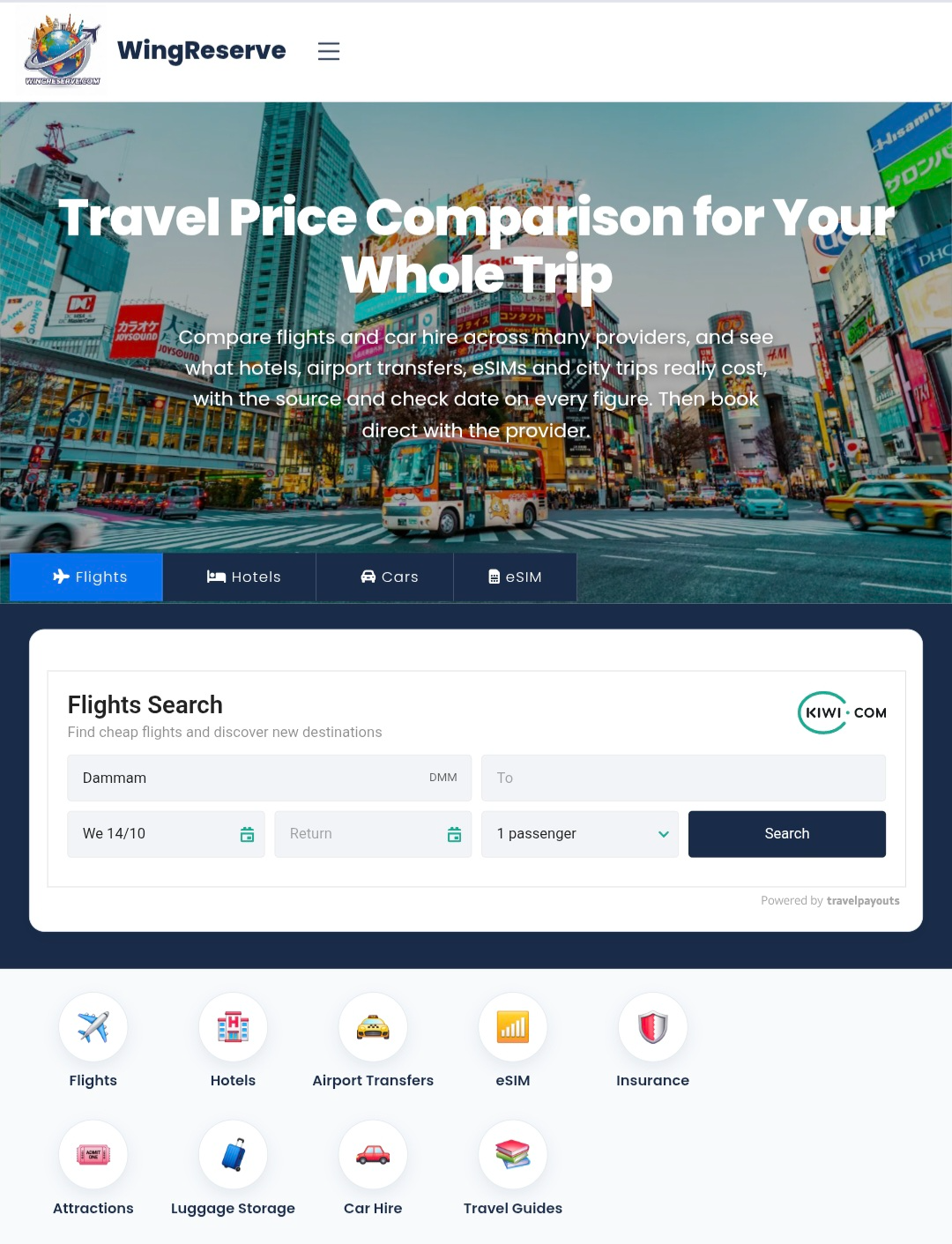
- Service pages: flights, hotels, car hire, airport transfers, eSIMs, luggage storage and travel insurance, each with a comparison and the partners' search tools.
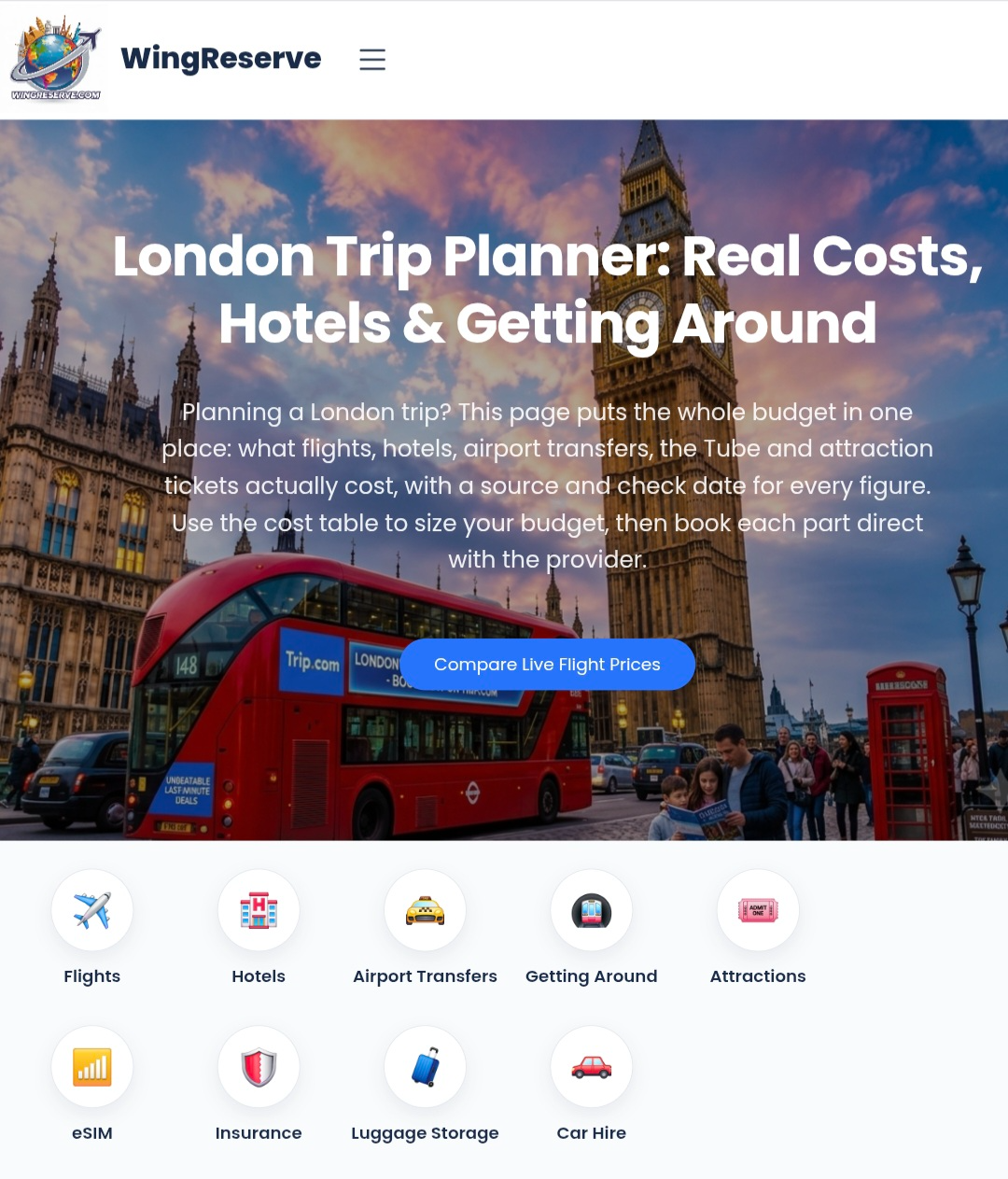
- City trip planners: one long, carefully designed page per city that answers everything a visitor needs to budget, from the airport transfer to attraction tickets.
- Specific guides: articles that answer one planning question in depth, and link to the planner.
What It Really Cost: About $300 Since November 2024
You don't need a big budget to build a professional travel site. Almost everything I've spent has gone on two things: hosting and the domain. Everything else has been time.
- Hosting and domain: the main cost, paid up front for a long term to get the lower monthly rate.
- WordPress: free.
- Page building: the free version of Elementor, plus custom HTML and CSS for the more complex sections.
- Affiliate platform: Travelpayouts is free to join.
- Images: free-licence photos from Unsplash and Pexels, credited where required.
What I didn't spend money on is just as important: no paid ads, no bought backlinks, no "SEO packages". Paid ads rarely make sense when commissions are a few percent of a booking, and bought links put a new site at risk with Google.
Hosting: Why I Chose Hostinger, and Which Plan You Need
A travel affiliate site needs hosting that is fast, reliable and cheap enough to run for years before it pays for itself. WingReserve runs on Hostinger, with WordPress installed from the dashboard in a few clicks.
Hostinger's web hosting comes in three main plans. These are the prices shown on its pricing page in October 2026 for new customers on a 48-month term. Prices change with promotions and by region, so check the current offer before you buy.
| Feature | Premium | Unlimited | Cloud Startup |
|---|---|---|---|
| Intro price (48 months) | $2.99 / month | $3.99 / month | $7.99 / month |
| Renewal price | $10.99 / month | $16.99 / month | $25.99 / month |
| Websites | 3 | Unlimited | Unlimited |
| Storage | 20 GB SSD | 50 GB NVMe | 100 GB NVMe |
| Backups | Weekly | Daily | Daily + on demand |
| Free domain | 1 year | 1 year | 1 year |
| 2 mailboxes / site, 1 year free | Unlimited, 1 year free | Unlimited, 1 year free | |
| Free SSL, CDN, AI tools | ✓ | ✓ | ✓ |
| Money-back guarantee | 30 days | 30 days | 30 days |
Source: Hostinger web hosting pricing page, checked October 2026. The monthly price is the total paid up front divided by the term.
Which plan should a new travel site start on?
Premium is enough to launch. A new site has little traffic, and 20 GB is far more than a WordPress site with optimised images needs; WingReserve uses only a few gigabytes. The two things you give up are daily backups and room for more sites. You can solve the first with a free backup plugin, and upgrade later if the site grows.
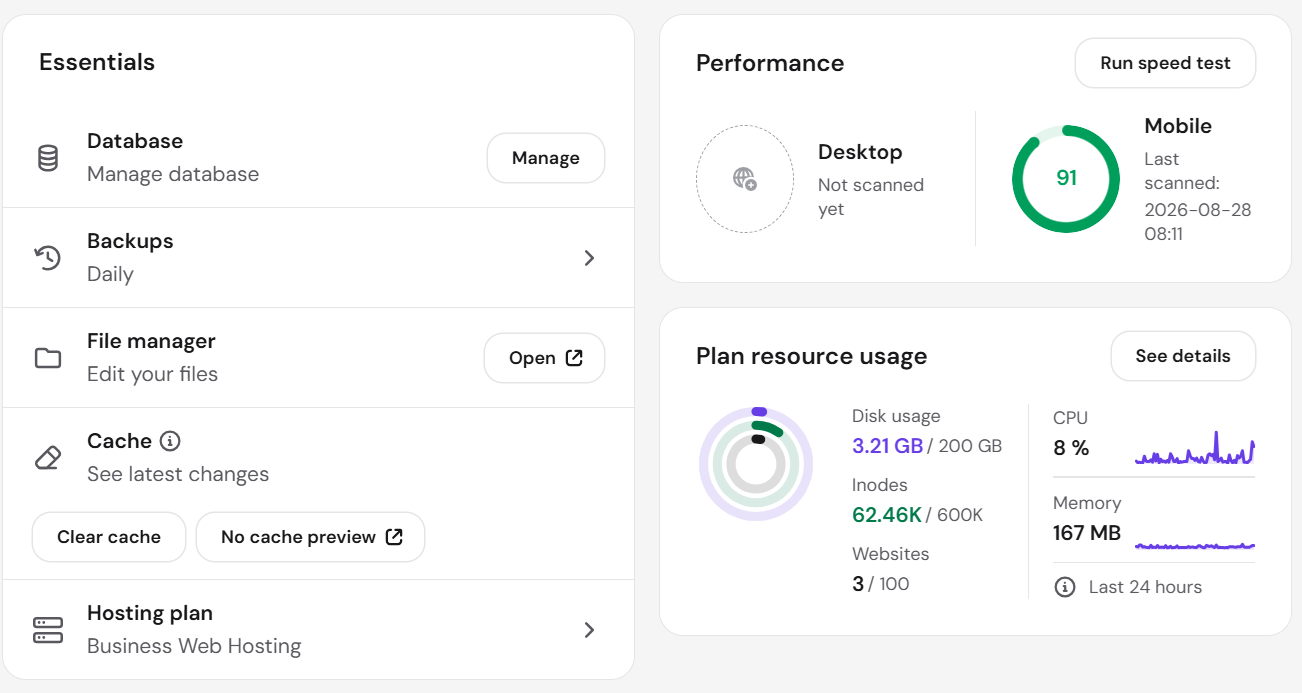
I learned this the practical way: I ran WingReserve on a higher plan, checked my real usage in Hostinger's dashboard, and found I was using a small fraction of it. Start smaller and upgrade when the numbers tell you to, not before.
Start your site on Hostinger
Choose a long term for the lowest monthly price, and install WordPress from the dashboard after checkout.
Setting up WordPress on Hostinger
- Choose a plan and a term. The intro price applies to the term you choose, and renews at the higher rate afterwards.
- Claim your free domain during setup, or connect one you already own.
- Pick WordPress when Hostinger asks what you want to build. It installs it for you.
- Turn on SSL so your site loads on https, which Google and affiliate partners both expect.
- Set up a backup plugin if your plan has weekly backups, so you never lose more than a day of work.
Building the Pages: Design That Converts and Ranks
Affiliate partners and Google judge a site the same way a visitor does: does it look trustworthy, and does it actually help? That's why I treat each important page as a product, not a post.
The page structure that works
- Answer first. A short box at the top gives the answer immediately. Visitors who get what they need stay longer, not shorter.
- Make costs visible. Tables with the source and the date each price was checked. This is what makes a travel page trustworthy.
- Put the booking link where the decision happens. A transfer link belongs next to the "when a private transfer is worth it" section, not in a sidebar.
- Design for phones first. Most travel searches happen on mobile, so every table and card has to work on a small screen.
- Link pages together. Guides link to the city planner; the planner links to the guides.
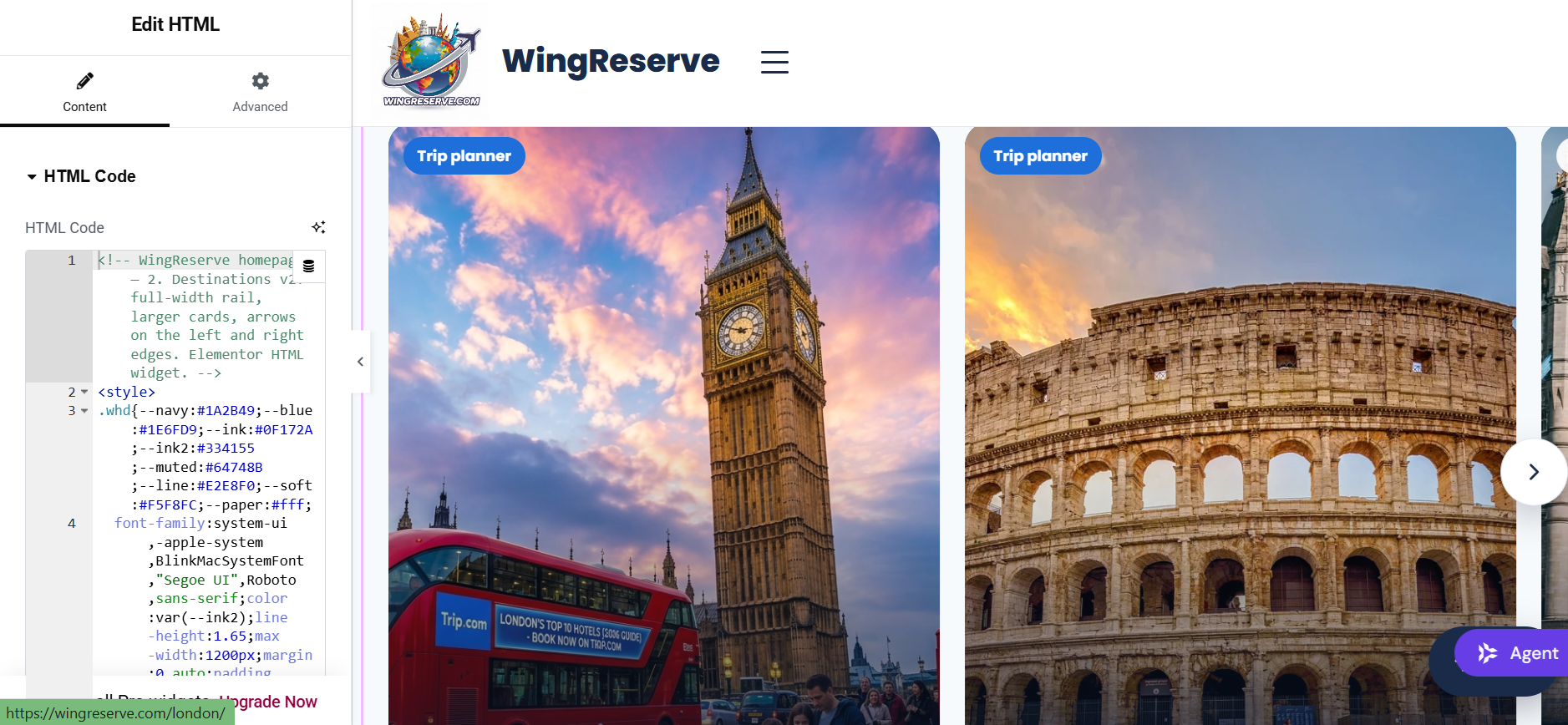
A tip that saves hours: paste custom code into Elementor's HTML widget, never the Text Editor widget. The Text Editor runs WordPress filters that can break your layout and scripts.
Travelpayouts: How to Sign Up and Start Earning, Step by Step
Travelpayouts is an affiliate platform for travel. Instead of applying to dozens of brands separately, you get one account, one dashboard and one payout for many of them: flights, hotels, car hire, transfers, eSIMs, attractions and more. For a new travel site, it's the simplest way to start.
Step 1: Create your account
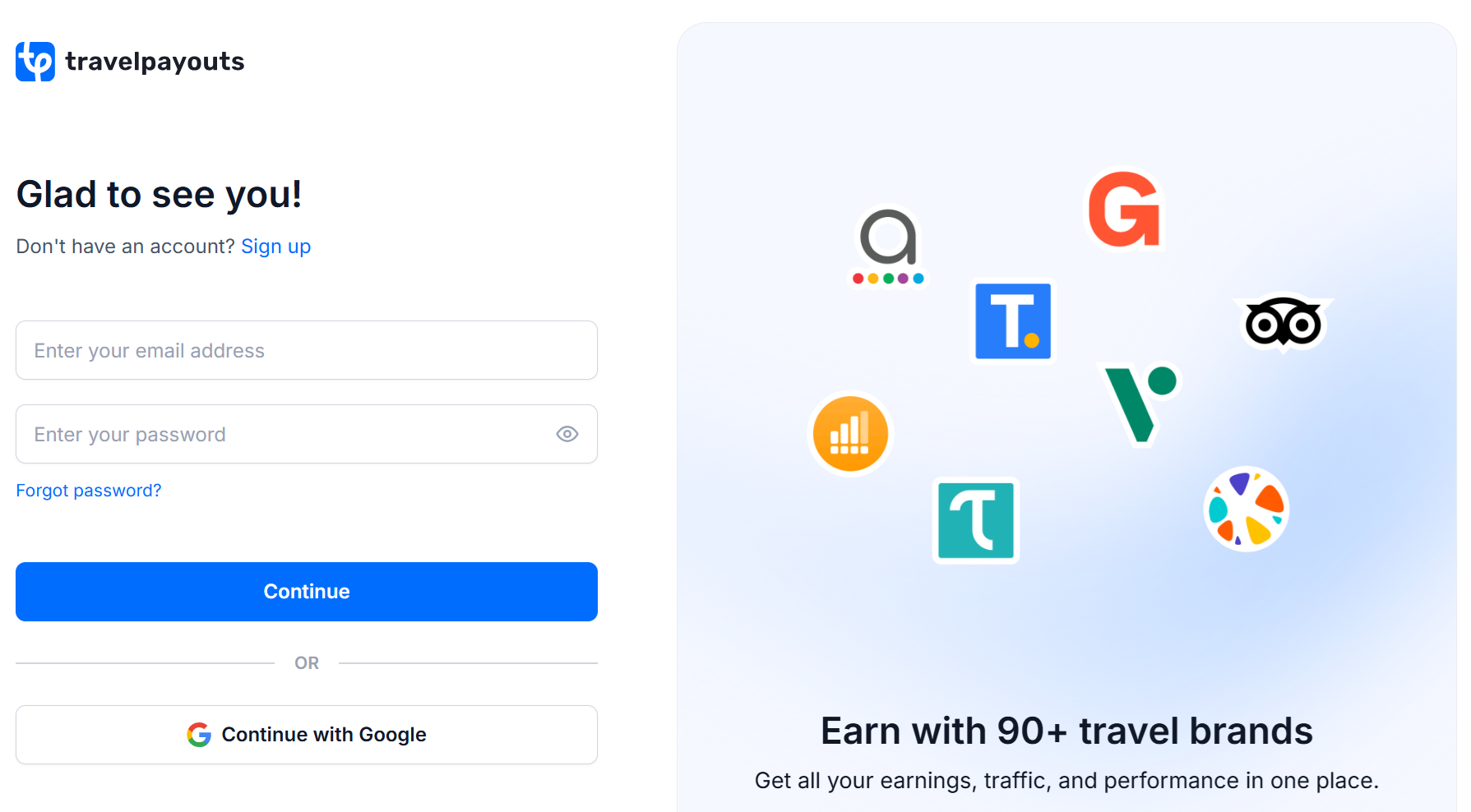
Sign up with your email and a strong password, then confirm your email address. Travelpayouts requires the confirmation before it can pay you later.
Step 2: Add your website as a project
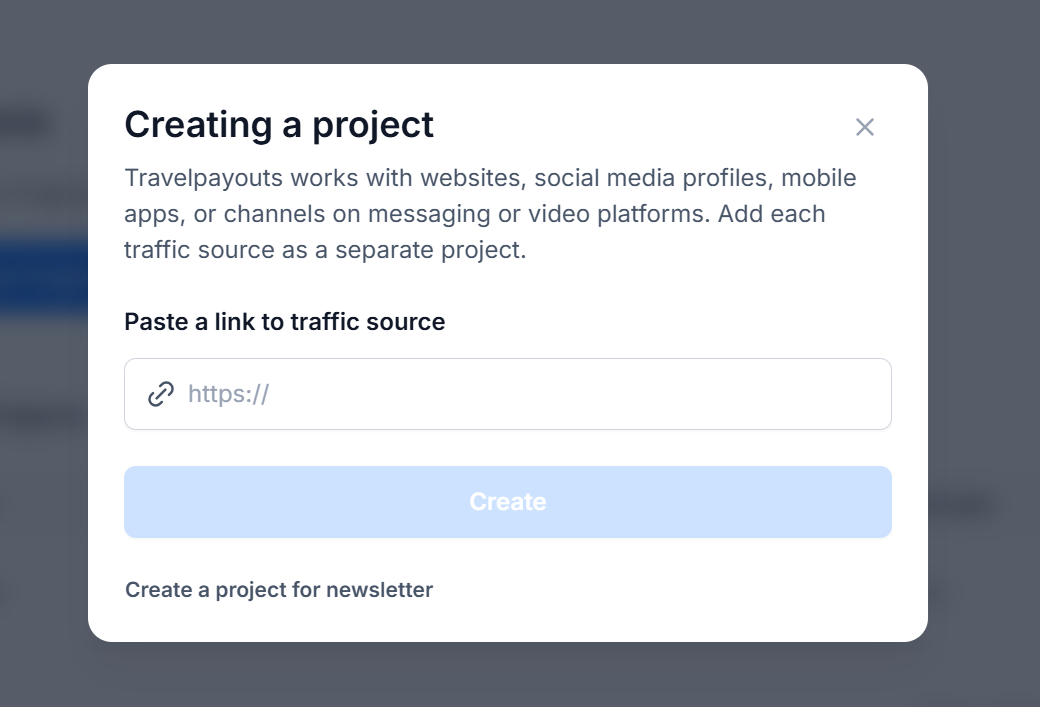
A project is the place where you'll promote travel brands: a website, a social media channel, a newsletter or an app. If it's a website, Travelpayouts asks you to install its Drive script to confirm you own it. On WordPress, you can paste it in with a header plugin such as WPCode.
Step 3: Check which programs are available
Since April 2026, you no longer apply to programs one by one. Once your project is added, Travelpayouts connects it automatically to the programs that fit it. Some are available instantly; others are reviewed first, which usually takes a couple of days and shows a clock icon while it's pending.
If a program isn't available to you, the usual reasons are a language or country mismatch, content the brand doesn't allow, or a site that doesn't fit its audience yet. You can improve the site and try again later.
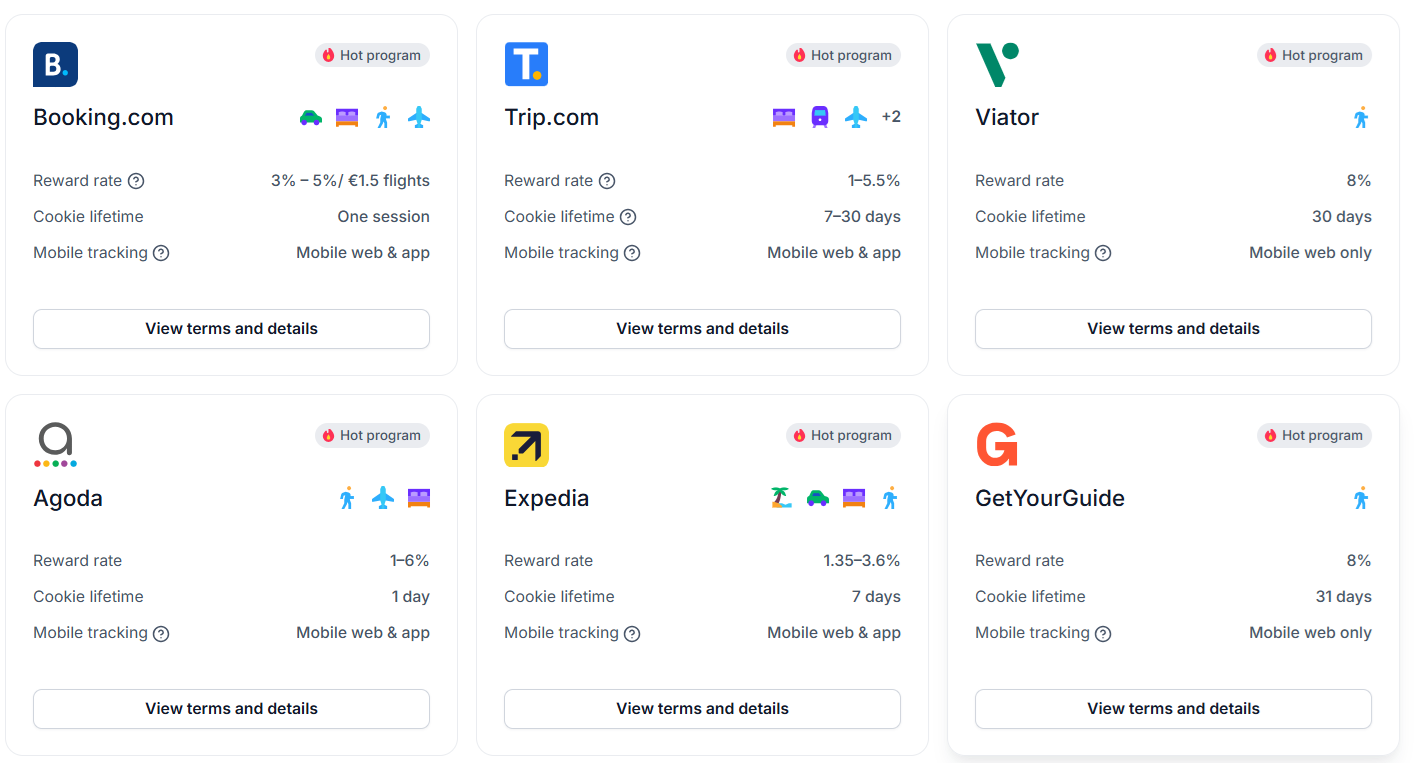
Read each program's rules. Every brand sets its own commission, cookie length and restrictions, such as whether you can use its brand name in ads. Five minutes reading them protects every commission you'll earn.
Step 4: Create affiliate links with a SubID
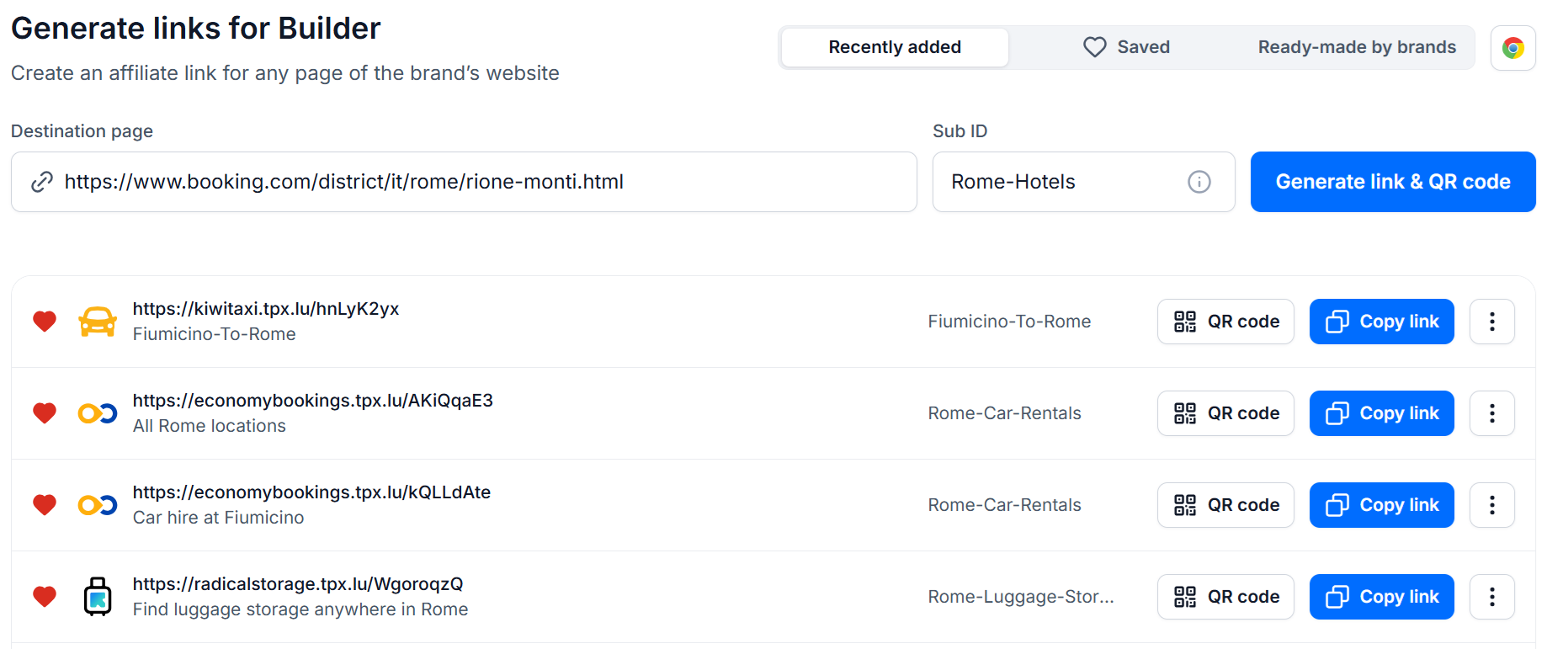
For buttons and text links, open the link generator, paste the page you want to send visitors to, and add a SubID: a short label such as Rome-Transfers. Your reports will then show which page and which button produced each click and booking. This is the single most useful habit for knowing what works.
Step 5: Add widgets where a search makes sense
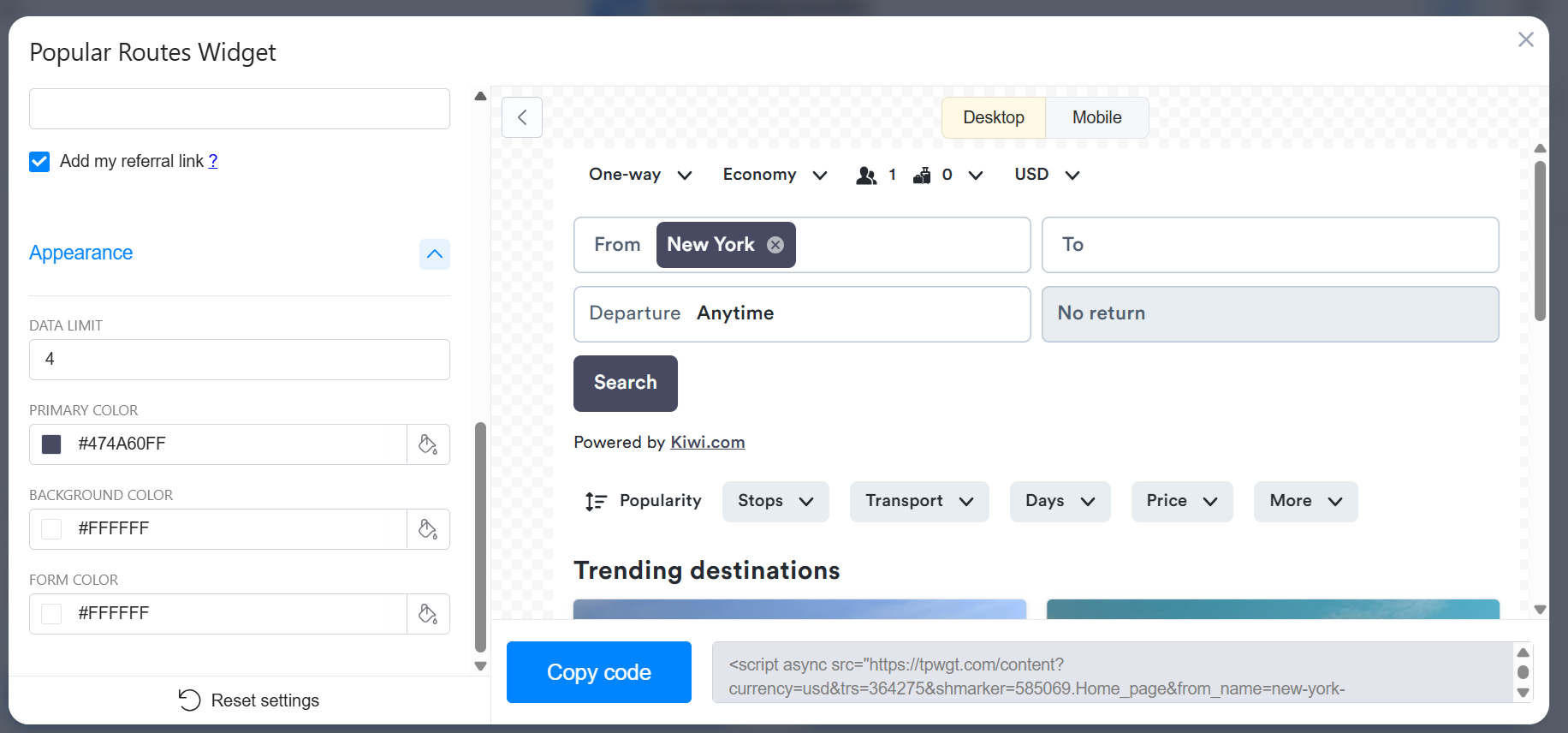
Widgets are ready-made search boxes and price tables you paste into a page. A flight search on a "flights to London" section, or a transfer search next to an airport guide, lets visitors check live prices without leaving your page. Customise the colours and currency, copy the code, and paste it into an HTML widget.
Step 6: Test, then follow your reports
Click your own links once to make sure they open the right page, then use the Reports section to watch clicks and bookings by SubID. Payouts are monthly once bookings are confirmed, and the methods and minimum amounts depend on your country.
Prefer to watch?
Video: "How to start earning with Travelpayouts" on YouTube.
Ready to set up your account?
It takes about ten minutes. Add your site as a project and the matching programs connect automatically.
The Affiliate Programs Behind WingReserve
These are the programs this site uses, grouped by what the traveller needs. Most run through Travelpayouts; a few are direct partnerships.
- Flights: Aviasales and Kiwi.com, through search widgets and links.
- Hotels: Booking.com and Trip.com, linked from city and neighbourhood guides.
- eSIMs: Airalo and Drimsim.
- Airport transfers: Kiwitaxi.
- Car hire: EconomyBookings.
- Attractions: Tiqets and GetYourGuide.
- Luggage storage: Radical Storage.
- Flight delay compensation: Compensair.
- Flight deal alerts: Dollar Flight Club, a direct partnership.
How Each Category Earns (and Where It's Hardest)
Hotels: the backbone
Hotels are usually the most valuable booking in a trip, so a commission on them matters more than on almost anything else. The trick is placement: a link under "best area to stay near the Vatican" converts far better than a generic "book hotels" button, because the visitor has already decided where they want to be.
eSIMs: small, but frequent
Almost every international traveller needs data. An eSIM is a low-cost purchase, so the commission per sale is small, but people buy it quickly and without much hesitation. A short, honest comparison of an eSIM against roaming and a local SIM, with a search widget for the destination, is enough.
Flights: high volume, low margin
Flight searches bring plenty of clicks, but commissions are a small percentage, and many people compare and leave. Flights work best as part of a wider trip page, not as the only thing you sell.
Airport transfers and attractions: underrated
A traveller who already has flights and a hotel still needs to get from the airport and buy tickets for the big sights. These are planned close to the trip, which is exactly when your guide is read.
Travel insurance: check what's available to you
Insurance programs change more than any other category, and some only cover travellers from specific countries. Before writing insurance content, check which insurance programs your Travelpayouts account currently has, and which countries they accept. It's better to recommend one policy honestly than to send readers to one they can't buy.
The SEO Strategy: What Actually Moves a New Travel Site
1. Target planning questions, not dream topics
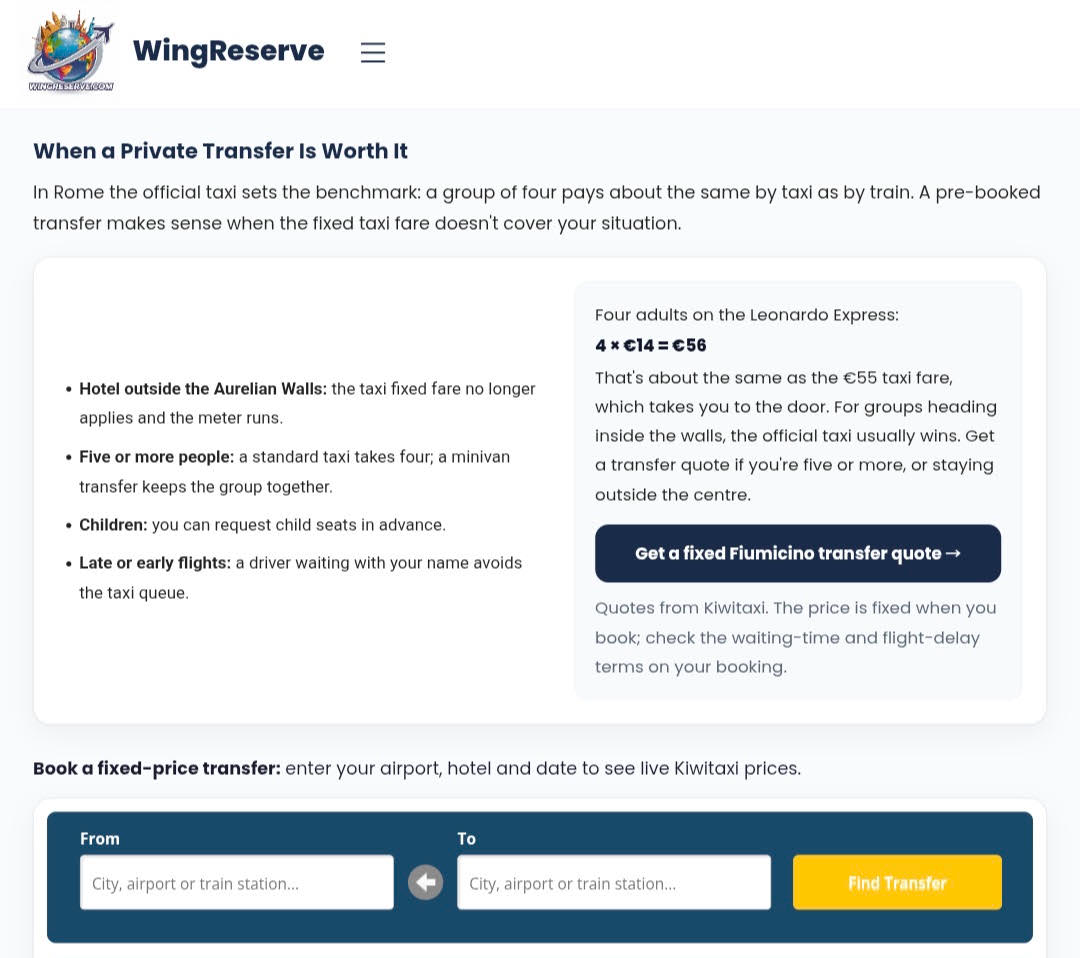
"Things to do in Rome" has thousands of competitors. "Fiumicino to Rome: train vs taxi" is specific, asked by someone about to spend money, and easier for a new site to win. Look for questions that sit between "I've booked my flight" and "I've booked everything".
2. Build topical depth around a few cities
Google rewards sites that cover a subject thoroughly. Three connected pages about Rome (a trip planner, an airport guide and an etiquette guide) are worth more than ten unrelated articles about ten cities.
3. Show your sources and dates
Prices change. A price with "checked September 2026" and a link to the official source tells readers and Google that the page is maintained. It's also the honest thing to do.
4. Use Search Console as your to-do list
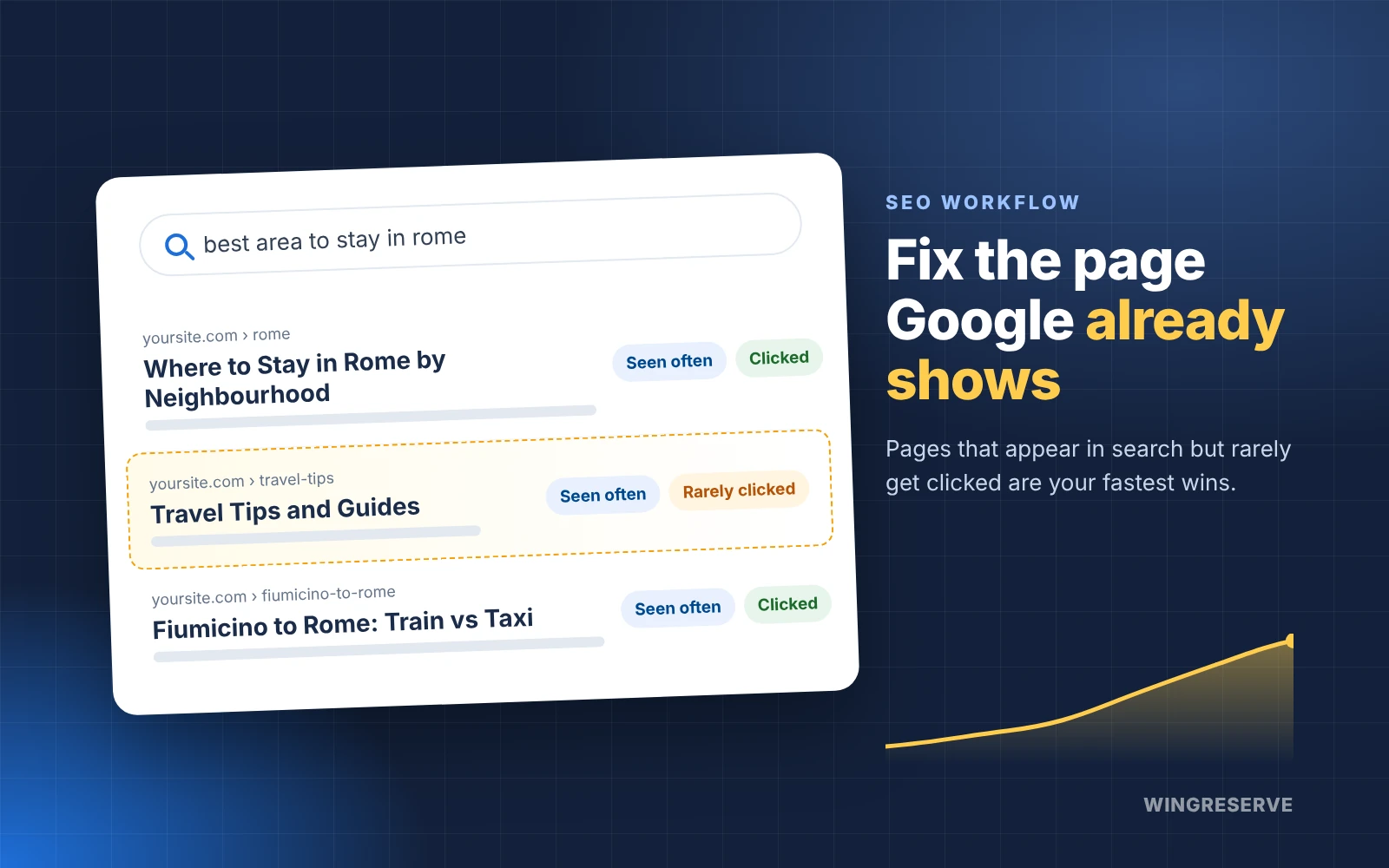
Google Search Console shows which searches your pages already appear for. When a page appears often but gets few clicks, its title doesn't match what people want, or the page isn't deep enough yet. Fix those before writing anything new.
5. Never fake experience
If you haven't been somewhere, don't write as if you have. Use official sources, explain how you checked, and let your research be the value. Google's guidelines reward helpful, trustworthy content, and readers can tell.
6. Don't spam your links
Posting affiliate links repeatedly on social media can get an account restricted, and it rarely works anyway. Link to your own helpful pages instead, and let the page do the persuading.
The Honest Part: It Takes Time
A travel affiliate site isn't a quick income. It's a slow asset you build page by page.
Here's what nobody selling a course will tell you. Commissions are a percentage of bookings, many people click without booking, and some bookings are cancelled. A new site also needs months before Google trusts it enough to show it for competitive searches.
What makes the difference is consistency and quality: pages that genuinely answer a question, prices you've checked, a design that works on a phone, and the patience to improve what Search Console tells you is close to working. If you're willing to treat it as a long-term project, the tools above give you everything you need to start for very little money.
Start building yours
A domain, Hostinger hosting and a free Travelpayouts account are all you need to begin. Build one useful page at a time, and let the site grow from there.
Travel Affiliate Websites: Frequently Asked Questions
How much does it cost to start a travel affiliate website?
Is Travelpayouts free to join?
Do I need traffic before joining Travelpayouts?
Which Hostinger plan is best for a new travel blog?
How long does it take to earn from a travel affiliate site?
Which travel affiliate category earns the most?
Hosting prices and features were checked on Hostinger's pricing page in October 2026. Travelpayouts sign-up and program steps follow its help centre, checked in October 2026. Both can change; confirm the current details before signing up.
Related Posts
-
 Trip planner
London Trip Planner
An example of a city planner page built this way.
Read more →
-
Guide
Fiumicino to Rome: Train vs Taxi vs Bus
A planning-question guide, from start to finish.
Read more →
-
Flights
Is Dollar Flight Club Premium Worth It?
Free vs Premium vs Premium+, compared.
Read more →